Add a Link to Text:
- If you’re adding a text link, copy the link you want to use.
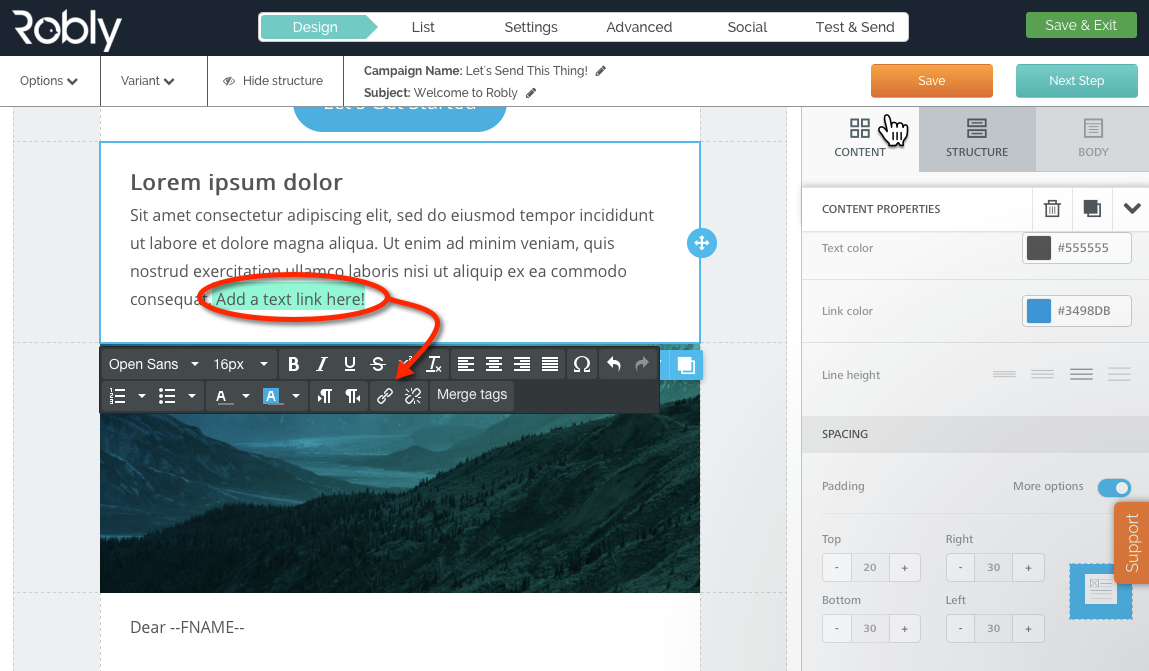
- Highlight the text that you want to serve as a link.
- Click the Hyperlink button in the WYSIWYG text editor.
- Choose the link type you want from the dropdown menu:
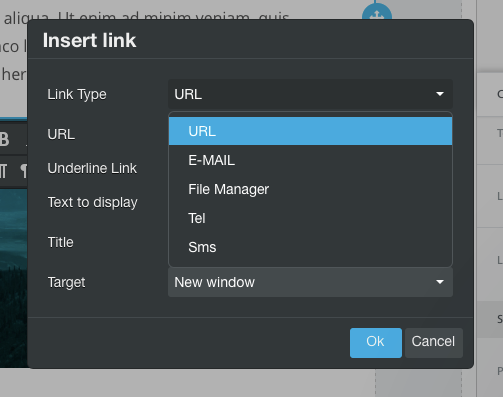
- Paste the link into the URL field that pops up and click OK.
Add a Link to an Image:
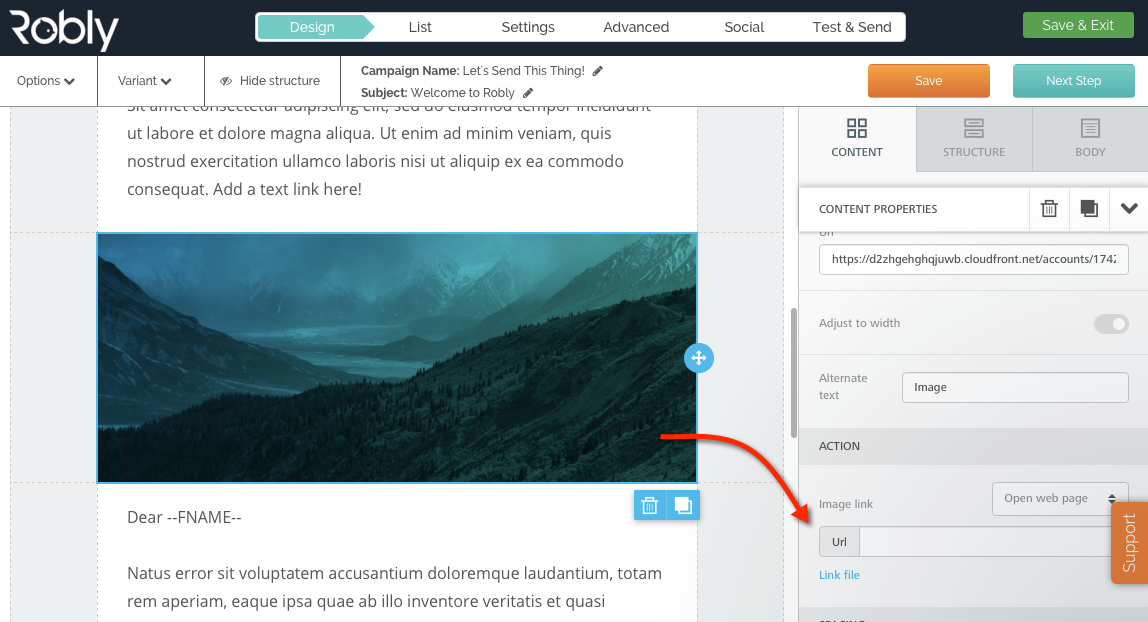
- Click on the image you want to serve as a link.
- Go to the Image Link section for the image on the right hand side.
- Choose your link type using the dropdown menu:
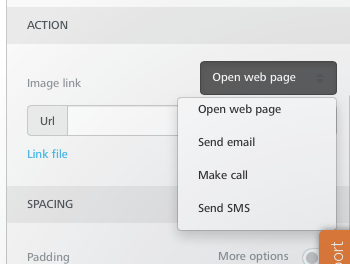
- Fill in the appropriate URL or information based on what you pick. That’s it, you’re done!
Have questions? Message us on chat, or email support@robly.com!