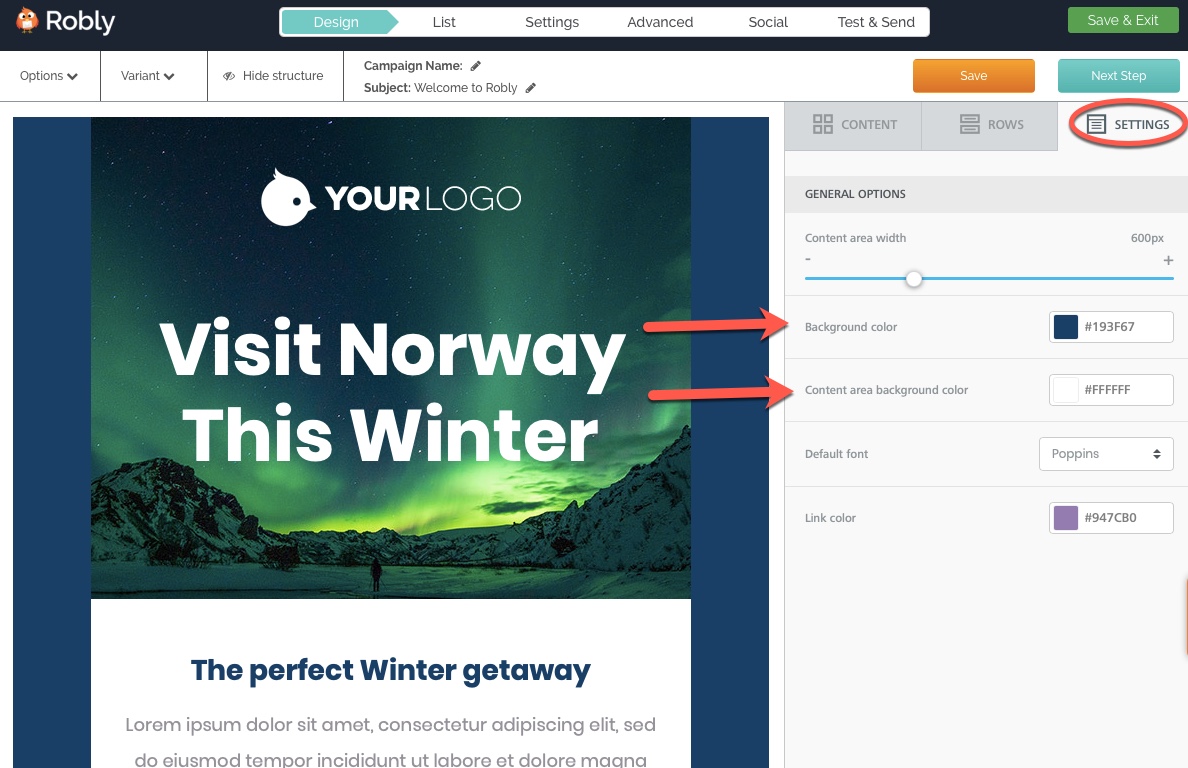
To change the background color in your email, click on the Settings tab on the right hand side. From here, you can adjust the global background and content background colors:
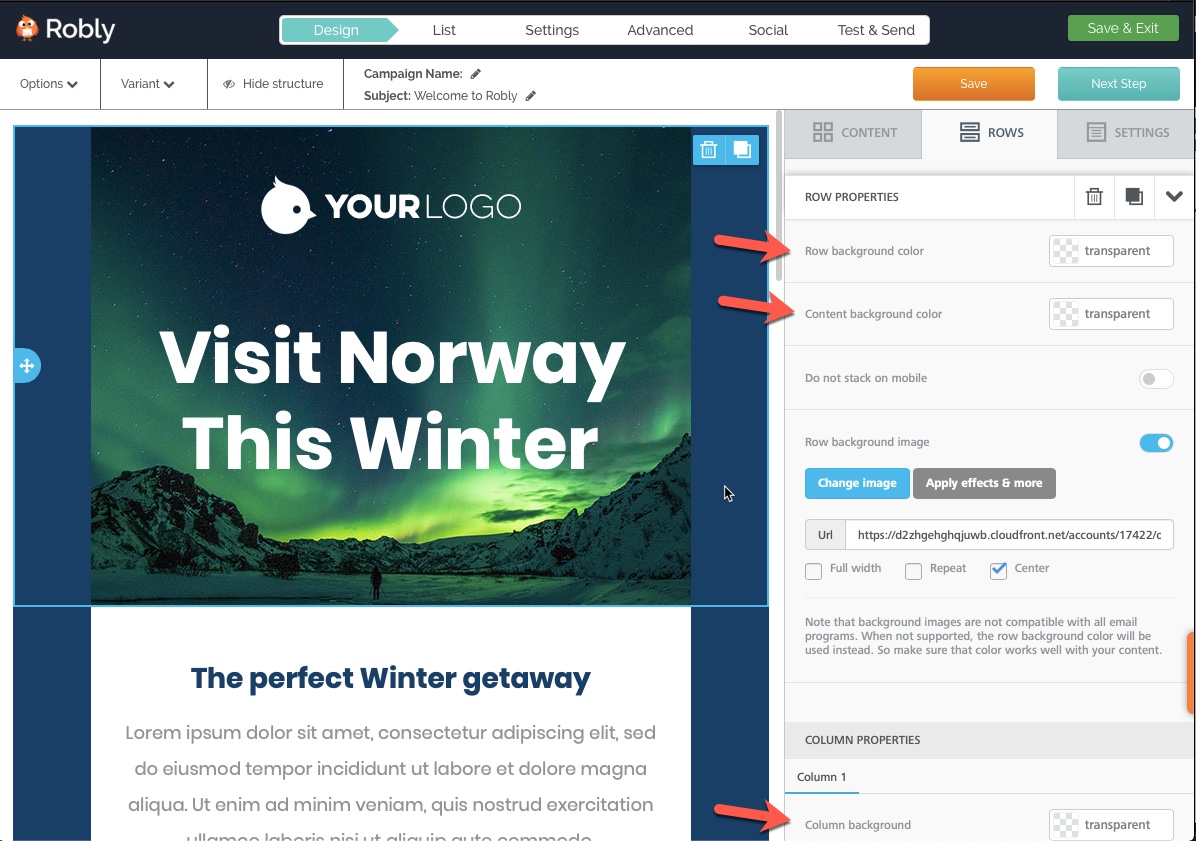
To change the background colors of individual rows, sections, or modules, click on the background (ie, margin) area of that row and use the middle Rows menu:
Row background color: will change the row background for that row only.
Content background color: will change the color for anything inside the module itself, not including the row’s background.
Column background: will override Content background color.
Have questions? Message us on chat, or email support@robly.com!