At Robly, we have always thought that it would be amazing if you could send a campaign at the exact moment subscribers check their inbox.
With Robly A.I., you can do just that.
Rather than send your campaign out to your whole list all at once, it’s “Just-in-Time” Email Delivery.
Here’s how Robly A.I. Works:
- Send campaigns as you normally would
- Robly A.I. learns more about your subscribers email habits each campaign
- Robly A.I. predicts – with stunning accuracy – when your subscribers are most likely to check their email
- Robly A.I. delivers your email at that exact moment
How to Use Robly A.I.
1. You will configure your Robly A.I. settings in the campaign. Go to Email > Campaigns, and click the email campaign draft.
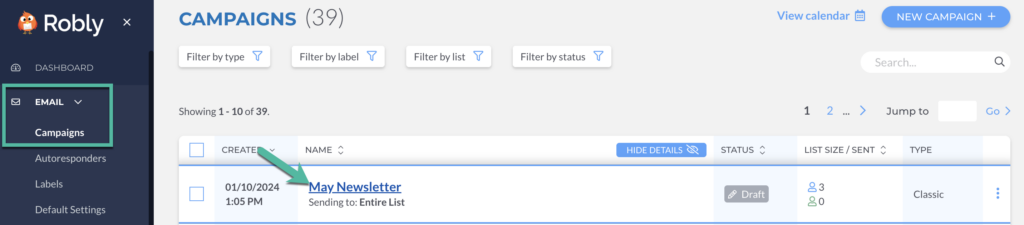
2. Scroll down next to Sending Options, and click Choose Sending Options.

3. From here, toggle the Robly A.I. switch to Yes to Enable A.I.
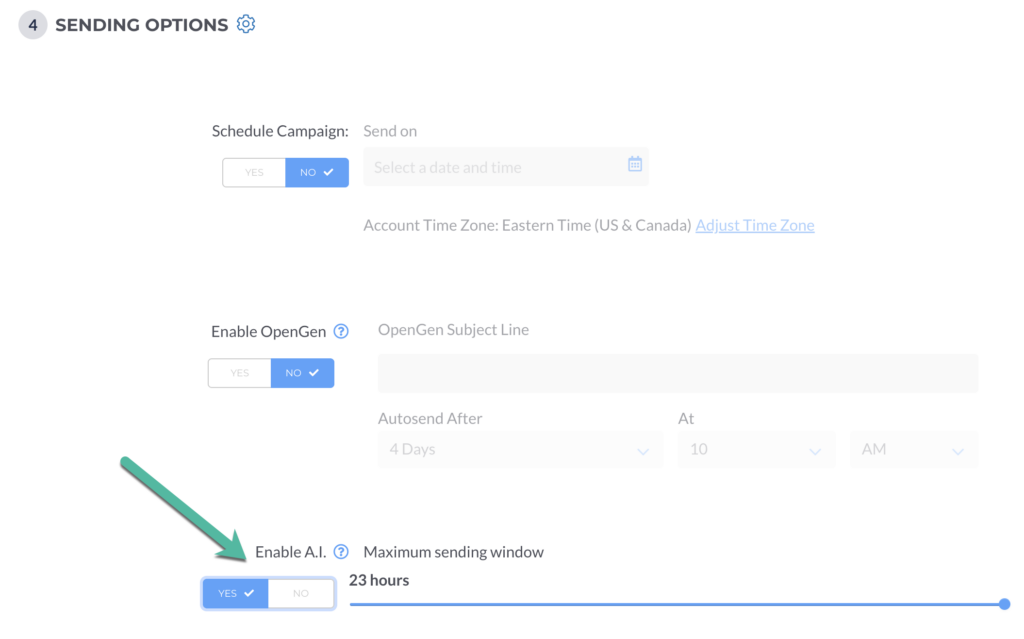
You will then select your Sending Window. This is the maximum number of hours AFTER you hit send that you are willing to have your subscribers receive a campaign.
So, for example, if you want to be sure that ALL your subscribers receive your campaign within 6 hours, pick 6.
If you want to stagger the sends over 23 hours, pick 23.
You can turn Robly A.I. on or off for any campaign send. An OpenGen send will automatically use Robly A.I. if the original campaign did, too. Even if you toggle it to off (No), we’ll still collect data for future sends for a campaign or two.
A.I. Reporting Data
Under Reports > Open Analytics, you can see opens during the Last 10 Sent Campaigns. This will show you when most people are opening your campaigns.
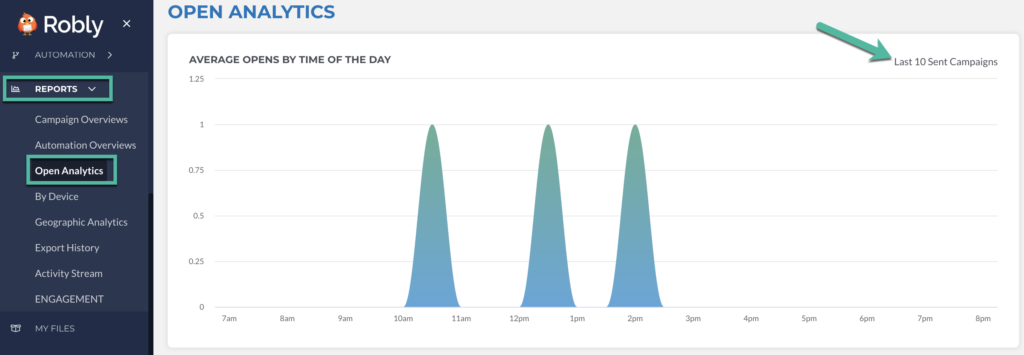
Expect a 24-hour reporting delay.
This means you shouldn’t fully evaluate your results until AT LEAST 48 hours (72, really) after your first send.
Why?
Want to shorten that window? Do it on the Settings page.
To double check what sending window you chose for any campaign, go to Reports > Campaign Overviews and then click on the campaign’s name to view all of the details.
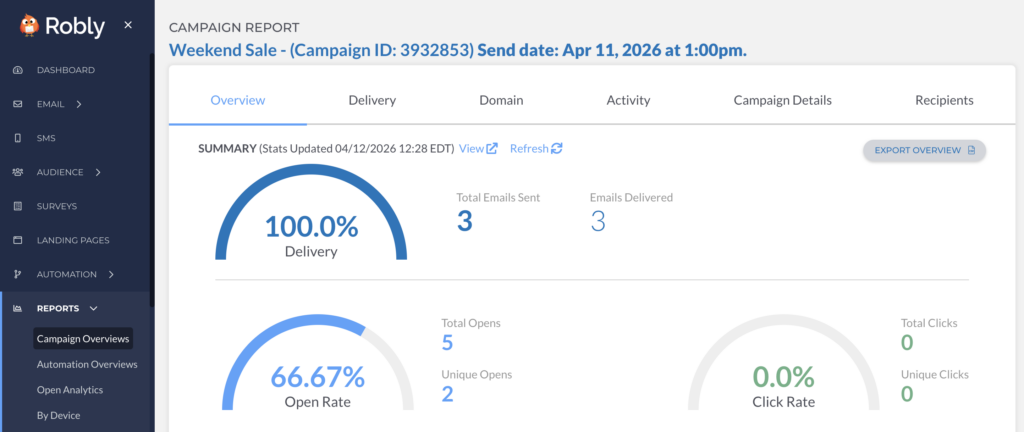
Robly A.I. is a tool that learns…It gets smarter and smarter with each campaign you send.
If you don’t have many sends on the Robly books, we don’t have as many data points to work with. You should still see better open rates over time, but results will dramatically improve as we get more data to work with.