Add a border to your email
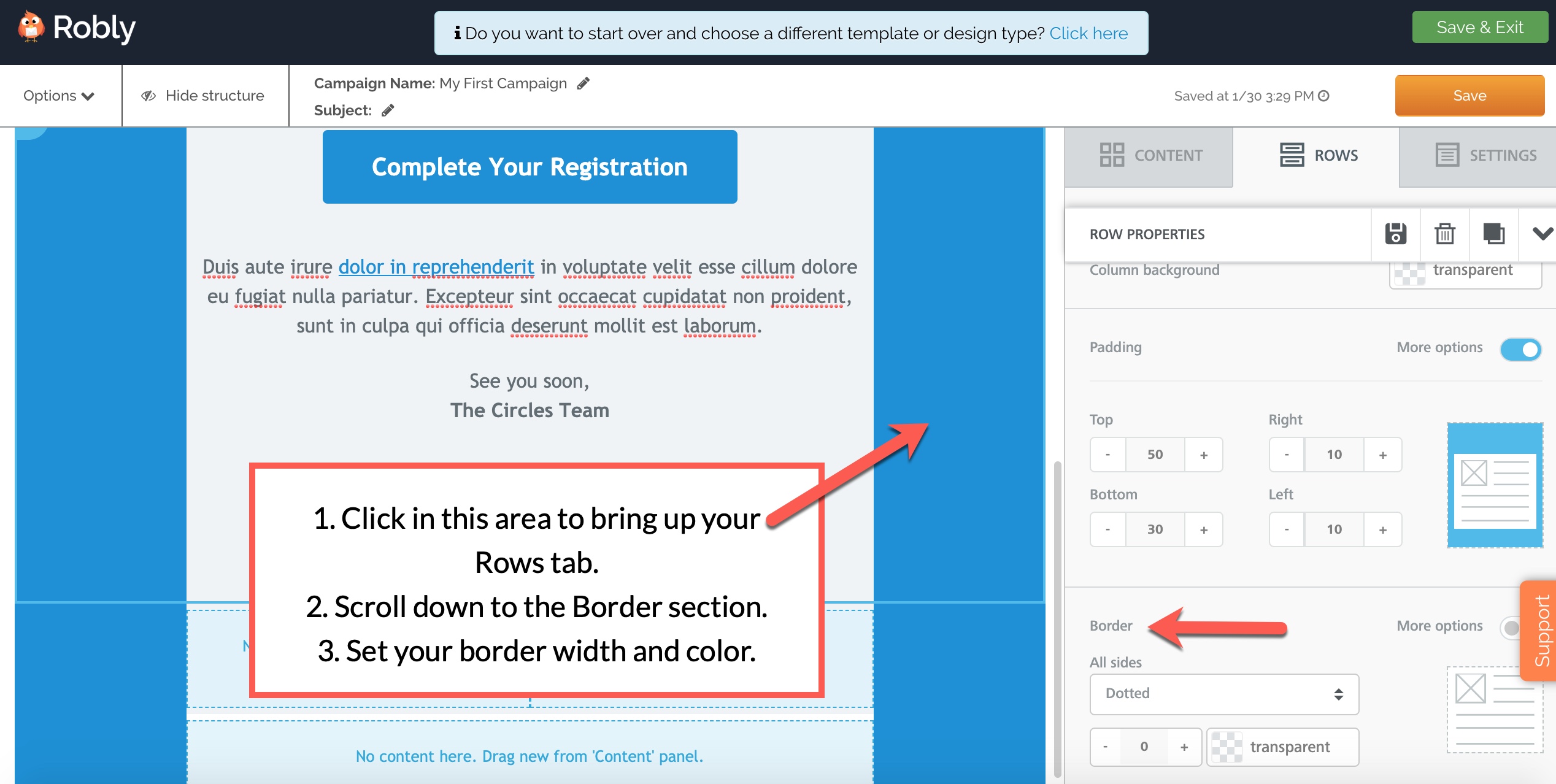
1. Start by clicking on the space between your content modules and the edge of your screen to select your Rows section.
2. Then, scroll to the bottom of the section for that Row on the right-hand side.
3. Set your border width, style, and color using the options menu in the Border section.
Partial borders
If you only want your border on one or some edges, click the More Options toggle:

Borders and columns
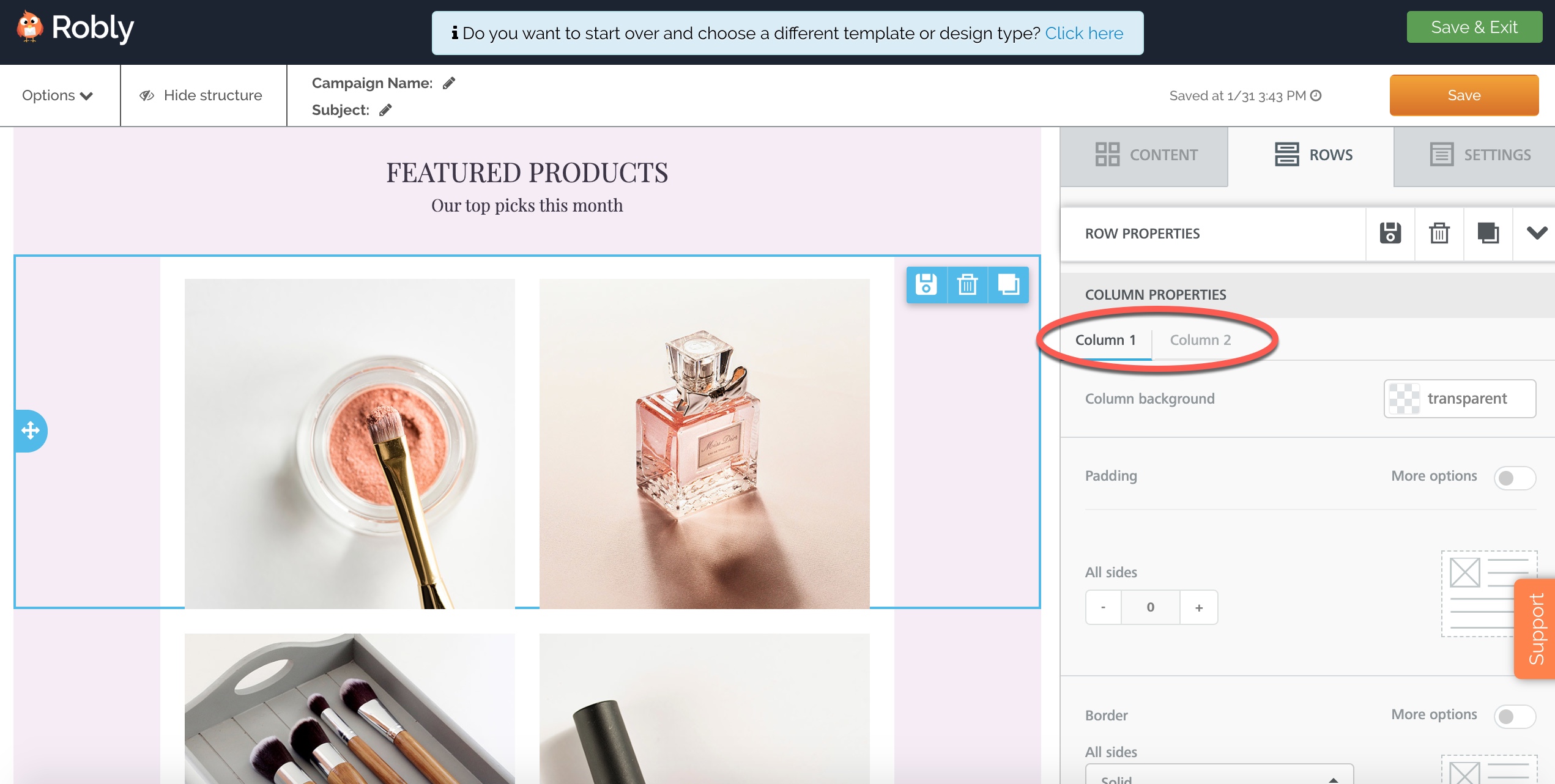
To add borders to columns, simply click on the Column 1 or Column 2 tab to set your borders for each separate column:
Have questions? Message us on chat, or email support@robly.com!